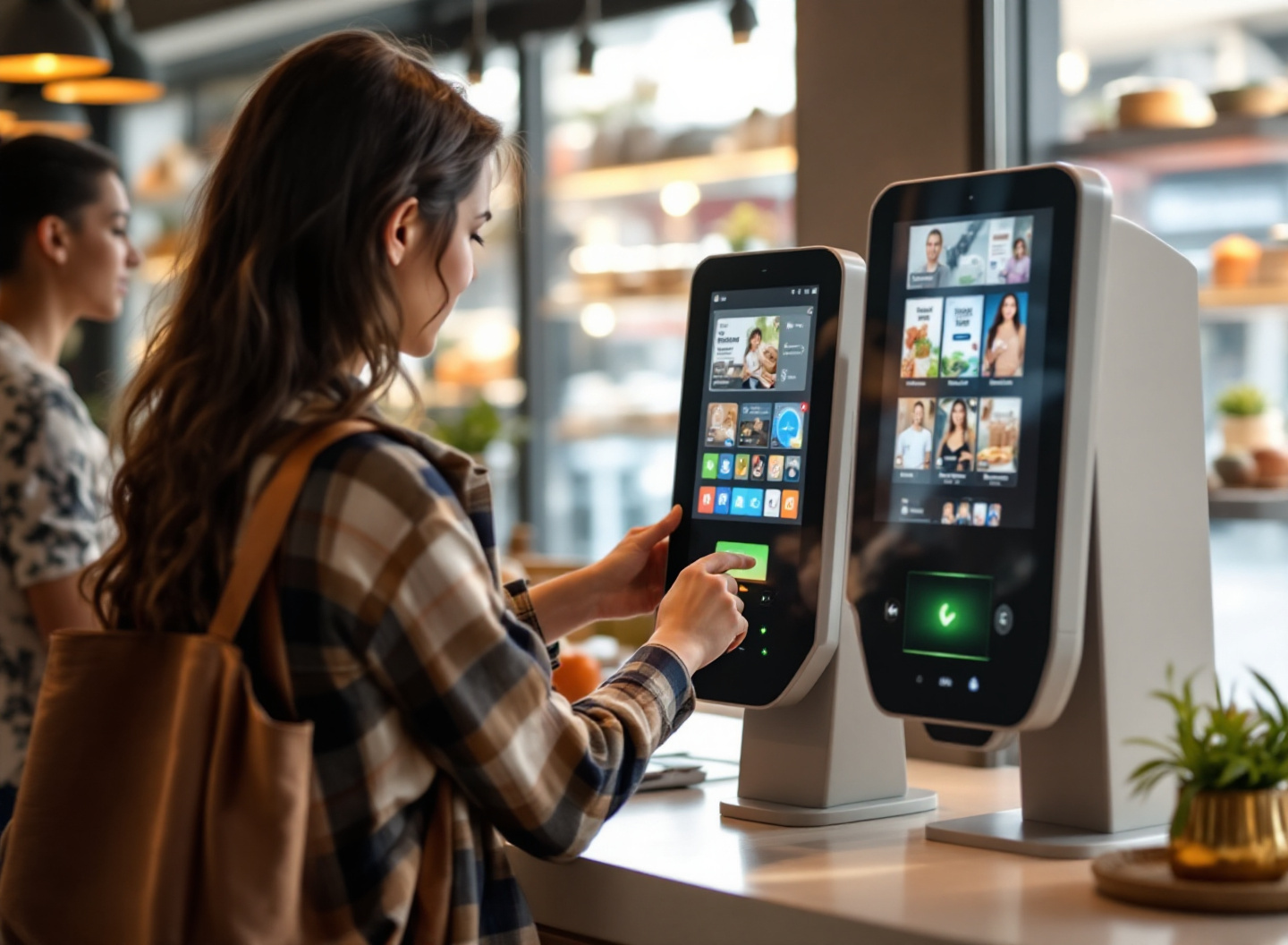
For a US operator, a kiosk rollout starts with a practical question: can customers finish a purchase reliably and can staff support it?
A useful pilot tests the whole journey: browsing, ordering, payment and fulfillment. Evaluate the hardware in your own location and check how the platform works with your existing point-of-sale system before expanding.
This guide covers kiosk types, four platforms to evaluate and seven deployment steps. It also explains what to check when assessing voice ordering, additional hardware and staff training.
What Is a Self-Service Kiosk?
A self-service kiosk is a standalone, touch-enabled or voice-enabled terminal that allows customers to place orders, make payments or complete transactions without staff assistance. In retail and restaurant environments, self-service kiosks reduce labor costs, increase transaction speed and capture customer data for analytics.
Self-service kiosks serve two broad jobs: capturing orders and payments or helping customers find information. An order-capture kiosk needs a clear connection between the customer's selection, the payment result and the system that fulfills the order. Confirm those connections for your chosen platform.
Key Takeaway: Self-service kiosks in 2026 are standard operational infrastructure, not a differentiator. The competitive edge now lies in deployment speed, staff training and integration quality, not the kiosk itself.
How a Kiosk Works: The Technical Breakdown
A self-service kiosk works through a four-layer stack: hardware (touchscreen, payment terminal, optional voice mic), software (ordering UI and menu logic), backend integration (POS system and payment processor) and analytics (transaction logging and customer data capture).
When a customer approaches a kiosk, the display shows a menu populated from your POS system in real-time. The customer selects items, reviews the order and completes payment via card, mobile wallet or cash (if the kiosk includes a cash module). The order is transmitted instantly to the kitchen display system (KDS) and receipt printers. Simultaneously, the transaction is logged in your POS backend and payment processor. If the kiosk includes voice ordering, a microphone and optional AI speech-to-text module converts spoken orders into menu selections, though this layer adds latency and error rates that we'll address in the voice ordering section below.
Network and payment requirements depend on the platform and configuration. Ask the vendor which functions continue during an outage, which payment methods are supported offline and how transactions reconcile when connectivity returns. Test those behaviors before opening to customers.
Key Takeaway: Kiosk functionality depends on three moving parts: network reliability, POS integration and payment processing. Any gap in these three layers breaks the customer experience and kills adoption.
7 Common Types of Self-Service Kiosks Deployed in US Retail
Self-service kiosks are not one-size-fits-all. The type you deploy depends on your business model, customer behavior and operational goals. Here are the seven most common kiosk types in US retail as of 2026:
- Order-and-Pay Kiosk: Customer selects items, pays and receives a receipt or order number. Most common in QSRs and fast-casual restaurants.
- Pickup and Information Kiosk: Displays order status, allows customers to look up reservations or account balances. Common in retail stores and service centers.
- Self-Checkout Kiosk: Customer scans items, bags goods and pays. Deployed in grocery stores, pharmacies and convenience stores.
- Ticket and Reservation Kiosk: Customers book appointments, purchase tickets or check in for services. Used in entertainment venues, healthcare and hospitality.
- Survey and Feedback Kiosk: Collects customer satisfaction data, reviews or demographic information. Deployed post-transaction to improve operations.
- Digital Menu Board with Ordering: Displays dynamic menu content and allows ordering directly from the display. Hybrid between signage and transaction terminal.
- Voice-Enabled Ordering Kiosk: Accepts spoken orders via microphone and AI transcription. Emerging in high-volume QSRs, though adoption remains limited due to accuracy and latency concerns.
Key Takeaway: Choose your kiosk type based on the customer decision point you want to automate, not on novelty. Evaluate order-and-pay or self-checkout where those tasks fit your business.
4 Self-Service Kiosk Platforms to Evaluate for Your Business
These four platforms serve different operating needs. Clover, Square and Toast offer restaurant ordering products; KioskX focuses on connected self-service retail. Use the linked product pages to check the current offering and ask each vendor to confirm your required integrations.
- Clover: Restaurant self-ordering within the Clover ecosystem.
- Square: Self-ordering kiosk hardware and app paired with primary Square POS hardware.
- Toast: A self-ordering kiosk offering for restaurant operations.
- KioskX: Connected self-service retail with kiosk hardware and operating software.
Key Takeaway: Start with your operating model and existing POS. Compare the complete purchase and fulfillment journey before choosing a platform.
What Is a Self-Ordering Kiosk and How Does It Differ from Standard Kiosks?
A self-ordering kiosk is a specialized kiosk designed specifically to capture food and beverage orders without staff intervention. It differs from standard kiosks in three ways: menu depth (self-ordering kiosks can include modifiers, dietary filters and upsell prompts), transaction speed (optimized for rapid order capture in high-volume settings) and integration (connected directly to kitchen display systems and inventory management).
Standard kiosks are general-purpose terminals used for check-in, information lookup or simple transactions. A self-ordering kiosk is purpose-built for one task: converting a customer's food choice into a kitchen order and payment confirmation. The user interface is optimized for speed, with large touch targets, clear item photography and one-click upsells. The backend is connected to real-time inventory, so if an item runs out, it disappears from the menu instantly. Standard kiosks do not require this level of operational integration.
Key Takeaway: Self-ordering kiosks are not generic kiosks with a menu. They are specialized hardware and software designed to replace the cashier role in food service, with deep POS and kitchen integration.
Can Self-Ordering Kiosks Increase Sales? How to Evaluate Your Pilot
Kiosks can make add-ons easier to discover and give customers another way to order. That does not guarantee higher sales. Compare average order value, completed purchases and abandoned orders before and during your pilot.
Measure results by location and time of day. Record staff assistance, payment failures and fulfillment errors alongside sales so a higher basket value does not hide a worse customer experience.
Key Takeaway: Treat sales lift as something to measure in your own pilot. Train staff and review customer outcomes before expanding.
Does Square Kiosk Support Voice Ordering? Feature Comparison and Limitations
Check Square's current product documentation and ask for a demonstration of any voice-ordering integration you need. Do not assume a kiosk supports voice because it supports touch ordering or uses AI elsewhere in the product.
For any platform, test spoken orders in your actual environment. Include background noise, accents, modifiers and corrections. Confirm that customers can review the order and switch to touch or staff assistance before payment.
Key Takeaway: Treat voice ordering as a feature to verify in a working demonstration. Include an accessible fallback when recognition fails.
How Do I Set Up a Self-Service Kiosk? Step-by-Step for US Retailers
Setting up a self-service kiosk involves seven sequential steps: assessment, platform selection, integration, testing, staff training, soft launch and optimization. Here is the process:
- Assess your use case: Determine which kiosk type solves your operational problem (order capture, self-checkout or information lookup). Define success metrics: order volume, transaction speed, customer satisfaction or labor cost savings.
- Choose your platform and hardware: Select Clover, Square, Toast or an alternative based on your existing POS system and feature requirements. Order hardware (touchscreen terminal, payment processor, optional receipt printer, optional cash module).
- Integrate with your POS and payment processor: Confirm menu, inventory and payment connections with your vendor. Agree on ownership of configuration and support before installation.
- Test end-to-end workflows: Use the vendor's test mode to check successful purchases, declined payments, unavailable items and fulfillment failures. Verify receipts and reconciliation before customer-facing launch.
- Train staff on customer flow and troubleshooting: Teach staff how to position the kiosk, guide customers to it and handle failed transactions or customer questions. This is often overlooked but critical to adoption.
- Soft launch with monitoring: Deploy the kiosk to a limited area or time window (e.g., lunch hours only) and monitor adoption, error rates and customer feedback daily. Adjust positioning, signage or workflows based on real data.
- Scale and optimize: Agree on adoption, reliability and service targets before the pilot. Expand only when the results meet those targets and staff can handle the operating workload.
Key Takeaway: Kiosk deployment is an operational change project. Budget for integration, testing, training and monitoring alongside the hardware.
Do I Need Additional Hardware to Manage Orders from Square Kiosk?
Square's product page says its kiosk hardware and app pair with primary Square POS hardware. Confirm the exact supported configuration for your location before buying. Include these items in your requirements review:
- Receipts: Confirm supported receipt delivery and printer compatibility with the vendor.
- Payments: Confirm supported payment methods. Do not assume a cash acceptor can be added to a card-based kiosk.
- Kitchen workflow: Confirm how orders reach your kitchen display or printers and what hardware and subscriptions are required.
- Network: Check the vendor's connectivity requirements and test coverage at the installation point.
Request an itemized quote covering hardware, software, processing, installation and support. A low terminal price alone does not establish the total operating cost.
Key Takeaway: Check the complete supported hardware configuration and operating cost before ordering equipment.
AI Tutor and Flashcard Apps: Training Staff on Kiosk Operations
Structured training gives staff a repeatable way to learn the kiosk workflow. AI tutors and flashcards can support practice, but staff still need hands-on experience with the installed system.
Teach staff these five core skills:
- Guide customers to the kiosk and explain how to begin.
- Troubleshoot payment declines, unavailable items and an unresponsive touchscreen.
- Handle missing items and requests to change an order after payment.
- Monitor kiosk availability and report problems to the responsible team.
- Explain relevant options and add-ons without pressuring the customer.
Reinforce these skills with short quizzes and supervised practice. Review gaps by role and update training when the workflow changes.
Use your vendor's documentation as the source for training material. Check AI-generated explanations against the actual product and assign a manager to keep the material current when workflows change.
Key Takeaway: Practice common tasks and failure cases. Measure whether staff can help a customer complete or safely exit a transaction.
Frequently Asked Questions
What is the typical cost of a self-service kiosk for a small restaurant?
Costs depend on the hardware, software plan, payment processing agreement and installation. Ask for an itemized quote and calculate processing costs using your expected transaction count and basket value. Include ongoing support and replacement equipment in the budget.
How long does it take to integrate a kiosk with my existing POS system?
Integration time depends on supported connections, menu complexity and your team's readiness. Ask the vendor for a plan with clear owners and acceptance checks. Test menu changes, payments, fulfillment and reporting before committing to a launch date.
Can I use a self-ordering kiosk for retail checkout or are they only for restaurants?
Restaurant ordering and retail self-checkout are different workflows. Retail may need barcode scanning, item verification and inventory handling. Ask vendors to demonstrate your actual use case rather than assuming a restaurant kiosk supports retail checkout.
What happens if the kiosk loses internet connection?
Behavior varies by platform, payment rail and configuration. Some systems retain browsing or support offline transactions; others need connectivity to complete a purchase. Ask the vendor to demonstrate an outage and recovery, including how payments and fulfillment reconcile.
Do self-service kiosks reduce labor costs?
Kiosks can shift staff time from order entry to fulfillment and customer assistance. They also create restocking, cleaning and support work. Measure the net workload in your pilot rather than assuming a fixed headcount or labor saving.
Conclusion: Choosing the Right Retail Self-Service Kiosk for Your Business
Choose a kiosk around the customer job and your team's ability to support it. Use this framework to narrow the options:
For restaurants: Evaluate how Clover, Square or Toast connects ordering, payments and kitchen fulfillment. Request a demonstration with your menu and an itemized quote.
For retail: Evaluate checkout, stock management and fulfillment for the products you sell. For vending and other specialized uses, include platforms such as KioskX in that review.
For all deployments: Prioritize network infrastructure, staff training and post-launch monitoring over hardware features. The difference between a successful kiosk deployment and a failed one is usually not the kiosk itself, but the operational readiness of your team. Invest in AI-powered staff training, flashcard quizzes and performance tracking. Monitor adoption, error rates and customer feedback daily for the first 30 days, then weekly for the first 90 days.
Start with one kiosk in one high-traffic location, measure results for 60 to 90 days, then scale to additional locations only if you hit your adoption and sales lift targets. This approach reduces risk, builds internal expertise and creates a playbook you can replicate across your business.
Explore the KioskX blog for more articles on self-service retail and connected operations.