Operating System
KioskOS — Software for
Connected Kiosk Hardware
Powering smart vending, high-utility kiosks, and contactless checkout terminals. Remote fleet orchestration, peripheral driver matrix, and live telemetry.
Explore the planned AI inference network →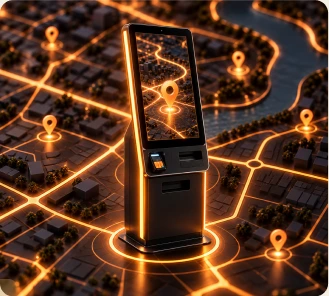
[ Multi Layer Functionality ]
More than a Machine
AI Agents, experiences and retail hardware, connected in one Kiosk.
Our longer-term vision is a CPU/GPU network across edge sites and cloud infrastructure, built for AI inference that powers these Agents and experiences.
Explore the planned AI inference network →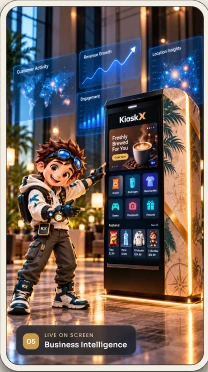
[ Operator Console ]
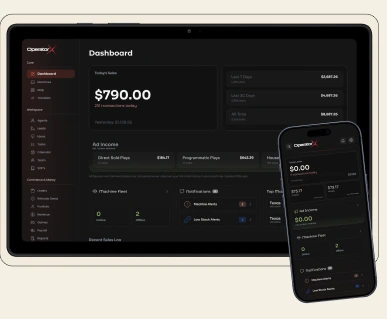
Kiosk X Operator Console
One console for your whole fleet. Review inventory, sales and device health, with configured AI Agents to help interpret alerts and propose next steps. Staff permissions govern supported remote actions.
Operator Console
One console for your whole fleet
- 1
Fleet & Planogram Control
Manage machine health, inventory levels, and product layouts from one place.
- 2
Sales, Refunds & Settlement
Review the transaction signals available from configured payment integrations; reconcile refunds and settlement with the provider.
- 3
ContentX Screen-Ad Revenue
Review campaign information supported by your deployment. Confirm reporting and revenue terms with ContentX.
- 4
QuestX & GameWorld Engagement
Scope participating-location quests and games with the team. Availability and reporting depend on the configured experience.
- 5
Secure Role-Based Access
Control who sees what with permissioned access for operators, finance, and support teams.

[ Gaming ]
Quest & GameWorld
Turn every kiosk into a rewards destination. Players earn points, unlock digital collectibles, and redeem rewards at participating locations.
QuestX Journey
Earn, Save, and Redeem with Ease
- 1
Discover Opportunities
Browse curated ways to earn or save across games, surveys, shopping, and travel.
- 2
Complete Quest
Complete eligible activities and watch your progress sync instantly on QuestX.
- 3
Shared Wallet
Eligible rewards follow QuestX wallet rules. Kiosk redemption requires a participating location and configured fulfillment.
- 4
Review and Redeem
Review available redemption methods and cash out when you're ready.

[ Creator ]
Creator Studio
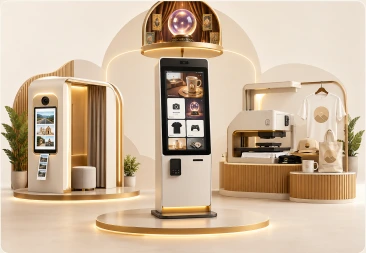
Build branded experiences, deploy campaigns, and manage creator partnerships from one workspace.
Creator Studio
Built for creators
- 1
Photobooth
Capture branded moments with custom backdrops, stickers, and shareable templates.
- 2
Fortune Teller
Create interactive, shareable predictions and personalized experiences for fans.
- 3
Merch on Demand
Design, print, and ship custom products with no upfront inventory.
- 4
Many more
From gamified drops to live commerce tools, we keep adding new ways to engage.
[ Advertisement ]
ContentX Ad Platform
Plan screen campaigns through ContentX. Confirm placement, scheduling, available reporting and commercial terms for the configured screens.
Advertising
Programmable Ad Points
- 1
Sponsor Loop Builder
Sequence branded content, product placements, and sponsored loops by location and audience.
- 2
Audience Segments
Agree location and scheduling criteria. Do not assume demographic or dwell-time data is collected or available.
- 3
Screen Revenue
Agree which delivery events and commercial results are available for each campaign and location.
- 4
Real-Time Reporting
Watch campaign performance, screen health, and ad delivery in one unified dashboard.

[ Payments ]
Payment Gateway
Payment methods and security responsibilities depend on the selected terminal and provider. Confirm checkout, settlement, refunds and recovery for the installed configuration.
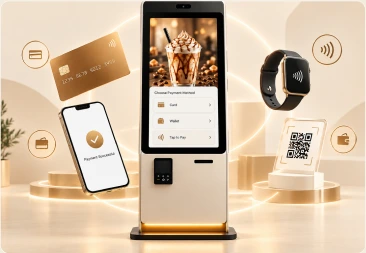
Payment Gateway
Secure Transactions
- 1
Card Payments
Accept major credit and debit cards with secure checkout through the integrated payment terminal.
- 2
Digital Wallets
Support tap-to-pay digital wallets for fast, contactless checkout.
- 3
Configured Payment Methods
Confirm supported methods, region and provider requirements for the terminal included in your quote.
- 4
Settlement & Refunds
Monitor settlement, refunds, and terminal health from the Operator Console.
Deploy Today
Whatever You Have,
We Can Start There.
Bring a location, existing machines, hardware or an idea — each path routes to the same team and a tailored quote.
Pick Your Path
Ready To Deploy?
Build the Future of Physical Commerce.
Bring your space, hardware, brand, or experience into the KioskX network. Our team can help you design, deploy, and scale your next physical-digital experience.
Space Owners ↗
Monetize Your Space
Advertisers ↗
Reach Audiences in the Moment
Vending Upgrade ↗
Smartify Your Machines
Brands ↗
Build Your Kiosk
Ready to Make Your Space Smarter?
Upgrade existing hardware or build something new with Kiosk-X intelligence. Connect with our team to explore the right deployment for your business.
Connect with Sales